SpicyChat AI Character Creation: Complete Guide to Custom AI Companions
The difference between a SpicyChat AI character that feels generic after ten messages and one that stays consistent through a hundred is almost entirely in how you set it up. SpicyChat gives you a detailed character creation system — personality definition, scenario context, behavioral hooks, lorebooks, example conversations — but most users never go beyond the name and a one-line description. This guide explains every field, what it actually does, and how to use it to build characters that behave the way you intend.
How Character Creation Works on SpicyChat AI
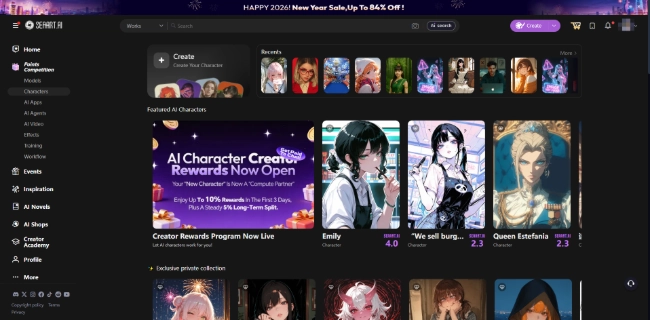
SpicyChat's character creation system works by injecting your written instructions directly into the AI's context window before any conversation begins. When you start a chat with a character, the AI "reads" everything you wrote in the character definition — name, personality, scenario, example conversations — as its briefing before responding to your first message.
This means the quality of your character definition directly controls the quality of the AI's behavior. A character with a detailed, specific personality description will behave more consistently than one with a vague one-sentence description, because the AI has more precise instructions to follow.
Free vs. premium character creation: Both free and paid users can create unlimited characters. The difference is in context window size — free tier offers 4K tokens, which limits how much of your character definition the AI can hold in active memory at once. On paid tiers (8K or 16K tokens), more of the character context remains active during longer conversations, producing better consistency.
Step-by-Step: Creating Your First Character
To begin, click the "Create Character" button from the SpicyChat dashboard. You'll see a structured form with multiple sections — each one is described below.
1. Name and Title
The character's name should be specific enough to feel distinct. A name like "Elara" or "Commander Vance" already signals personality more than "Emma" or "John." The title field (optional) adds context — "Elara, Last Heir of the Emberwood" tells the AI more about how to frame responses than the name alone.
Avoid overly common names unless your character concept specifically calls for them. The AI uses names as part of the character context, and distinctive names help maintain the character's voice across longer conversations.
2. Writing the Perfect Greeting
The greeting is the character's opening message — the first thing they say when you start a new conversation. It is one of the most important fields in the entire form.
A strong greeting does three things: it establishes the character's voice and speaking style, it sets the scene (where are we? what's happening?), and it gives you a natural prompt to respond to.
Weak greeting: "Hello! I'm Elara. How are you?"
Strong greeting: "You've traveled three days to reach my tower, and you arrive breathless and dust-covered — I can't say I expected company, but the stars suggested otherwise. Come inside before the storm reaches us. I have questions, and so, I suspect, do you."
The second greeting establishes personality (observant, slightly mysterious, controlling), setting (a tower, an incoming storm), and a conversation direction (mutual questions). The AI will carry this voice forward much more reliably than the first example.
3. Personality Definition
The personality field is where you define how the character thinks, speaks, and behaves. Write it in second person ("you are...") or third person ("Elara is...") — SpicyChat accepts both, though second person tends to produce slightly more direct adherence.
Include:
- Core personality traits (three to five is sufficient — more risks contradiction)
- Speech patterns (formal/casual, verbose/terse, particular phrases they use)
- Emotional responses (what makes them laugh, what makes them serious)
- Things they avoid saying or doing (what breaks their character)
Example: "Elara is methodical and precise, choosing her words carefully before speaking. She is warm toward people who demonstrate genuine curiosity, cold toward those who waste her time. She speaks in complete sentences and rarely uses contractions. She does not explain her reasoning unless directly asked."
This level of specificity gives the AI clear behavioral guidelines. Vague descriptions like "she is interesting and mysterious" produce inconsistent results because the AI has wide latitude to interpret "interesting" and "mysterious" however it chooses.
4. Scenario Context
The scenario field describes the setting, situation, and circumstances at the start of the conversation. It gives the character a "world" to exist in.
This field answers: Where are we? What is the relationship between the user and the character? What just happened before the conversation began? What are the stakes?
Weak scenario: "Elara lives in a magical world."
Strong scenario: "It is the third year of the Emberwood Siege. Elara's tower stands in neutral territory, claimed by neither the Eastern Coalition nor the Winter Court. The user has arrived carrying a coded message from the Coalition's Field Marshal — a message Elara has been expecting, though she has not revealed this to anyone. The user's allegiances are unknown to Elara."
The richer scenario gives the AI meaningful context to draw on. Characters with specific, detailed scenarios maintain narrative consistency far longer than those in generic settings.
5. Example Conversations
The example conversation field is underused but extremely powerful. Here you write 3-5 short exchanges between the user and the character, demonstrating exactly how you want the character to speak and behave.
These examples function as direct training signals — the AI pattern-matches against them when generating responses. If your examples show the character being concise and dry, the AI will lean toward concise and dry. If examples show elaborate, descriptive prose, the AI mirrors that.
Format example:
User: Do you know why I've been sent here?
Elara: I have theories. Whether they align with your actual purpose — that I'll discover shortly.
User: You seem confident.
Elara: Confidence is merely preparation. I've been expecting this visit for eleven days.
Include at least one example that demonstrates how the character handles the type of conversation you're planning to have. If you want romantic roleplay, include a romantic exchange. If you want action-adventure, include a tense scenario.
6. Advanced Settings and Behavioral Hooks
Behavioral hooks are specific instructions that override the character's default behavior in particular situations. Common uses:
- "When the user expresses frustration, Elara softens her tone and offers practical suggestions."
- "Elara always knows the current weather and time of day within her world."
- "Elara never breaks character to discuss the real world. If asked about AI, she responds that she doesn't understand the term."
Hooks help with immersion-breaking moments — the situations where AI characters typically fail. Anticipate where your character might go off-script and write hooks to address those scenarios.
Ready to explore? SpicyChat AI offers free access to 138K+ characters.
Start Chatting Free →Using Lorebooks for Worldbuilding

A lorebook is a separate document you attach to your character. It contains structured world-building information — lore entries, location descriptions, relationship definitions, historical facts — organized with trigger keywords.
How Lorebooks Work
Each lorebook entry has two components: content (the information itself) and trigger keywords. When a trigger keyword appears in the conversation, SpicyChat inserts the associated lorebook entry into the AI's context window. This means world-building details are added to the AI's active memory exactly when they're relevant, rather than sitting in the character definition taking up context space at all times.
Example lorebook entry:
- Keywords: "Emberwood," "siege," "the siege"
- Content: "The Emberwood Siege began three years ago when the Eastern Coalition blocked all trade routes into the western territories. The siege has not involved direct combat — it is an economic and diplomatic war. Casualties number approximately 200 from indirect causes (disease, starvation in outer villages). Elara considers the Coalition responsible for these deaths, though she maintains outward neutrality."
When the conversation mentions "the siege," this entry activates and the AI has accurate, detailed facts to draw on.
Best Practices for Lorebook Organization
- Keep each entry focused on one topic (one location, one relationship, one event)
- Use specific trigger keywords that won't activate accidentally on common words
- Write entries in the same voice as your character definition for consistency
- Start with 5-10 entries covering the most important world elements, then expand as the story develops
- Revisit and update lorebook entries as your story evolves
The lorebook system is particularly valuable for long-running narratives where dozens of story events and character details need to be consistently recalled. It is one of SpicyChat's genuinely unique features — most competing platforms offer no equivalent.
User Personas — Playing Different Roles
A user persona defines how you (the user) appear to the AI in the conversation — your character name, your background, your relationship to the AI character.
Free accounts get 3 persona slots. Paid tiers expand this to 50 (True Supporter) or maximum (I'm All In).
Creating a Persona
Go to your account settings and find the Personas section. For each persona, you define:
- Your character's name in the story
- Your character's background and personality
- Your relationship to the AI character
- Any relevant context the AI should know about your role
Why use personas? Without a persona, the AI treats you as a generic unnamed participant. With a persona, you become a character in the story with defined traits that the AI respects and responds to consistently.
Example persona: "Name: Caius. Background: Former soldier in the Eastern Coalition, now working independently as an information broker. Caius is pragmatic and direct, uncomfortable with elaborate social games but capable of them when necessary. He has a past with the Coalition that he does not discuss openly."
When Caius walks into Elara's tower, their interaction has established friction and history that the AI can draw on. The persona makes you a fuller participant in the narrative.
Using Multiple Personas
Multiple persona slots let you approach the same character from different angles — a version of yourself as a friend, as an adversary, as a stranger. You can switch personas between sessions to explore different narrative directions without losing any configured setup.
Ready to explore? SpicyChat AI offers free access to 138K+ characters.
Start Chatting Free →Tips for Better AI Responses
Prompt Engineering Basics
The way you phrase your messages affects response quality. A few principles that consistently improve outputs:
Be specific about what you want. "She smiled" prompts a generic smile. "She gave me the kind of smile that meant she already knew the answer" prompts the AI to build on the implication.
Use action cues. Ending your message with an open action or unresolved tension ("He stepped toward the door but didn't open it") prompts the AI to continue the scene rather than resolve it immediately.
Match the AI's register. If you write casually, the AI responds casually. If you write with narrative attention to detail, the AI mirrors that level of engagement.
Handling OOC Issues
Out-of-character (OOC) behavior happens when the AI steps outside its defined role — referencing being an AI, breaking the scenario logic, responding in a voice clearly different from the character definition. This is a known limitation of current AI systems.
When OOC occurs, the most effective response is to redirect: "((OOC: Stay in character as Elara))" — using double parentheses to signal a meta-instruction. SpicyChat's AI recognizes the OOC formatting convention and treats double-parenthesis text as instructions rather than story content.
Working Within Token Limits
The context window (4K on free, 16K on top tier) determines how much of the conversation the AI actively considers when generating responses. When long conversations push older content outside the context window, the AI loses access to that earlier context — hence the "memory fade" problem.
Practical strategies:
- Periodically summarize key plot points in an OOC instruction: "((Remember: you and I have established that you trust Caius; this was agreed in our earlier conversation.))"
- Keep character definitions concise — every token in the character definition is a token not available for conversation history
- Lorebook entries activate only when triggered, so they don't occupy context space constantly
Memory Management
For the most important story facts, reinforce them periodically. Every 15-20 messages, weave a reference to established facts back into the conversation naturally. This re-activates them in the AI's active context window and reduces drift.
Best SpicyChat AI Characters to Try
SpicyChat's library of 138,000+ characters is built entirely by the community. The quality ranges widely, but standout characters share a common trait: detailed, specific character definitions that give the AI clear guidance.
Categories with consistently high-quality characters include:
- Fantasy royalty and nobility: Characters with elaborate backstories and court politics tend to attract detail-oriented creators
- Sci-fi pilots and officers: Military-adjacent characters often have precise, consistent personalities
- Supernatural entities (vampires, fae, demons): Long genre tradition means creators draw on established character archetypes
- Historical figures (fictionalized): Creators who know their history tend to write detailed, accurate personalities
When evaluating a community character, read the greeting message carefully before starting. A well-crafted greeting predicts well-crafted responses throughout.
FAQ
SpicyChat AI has no limit on the number of characters you can create, regardless of your plan. The limitation is context window size — free accounts have 4K token context, which limits how detailed your character definition can be before it competes with conversation history for space. Paid tiers have 8K or 16K tokens, supporting more detailed characters.
Yes. When creating or editing a character, you can set its visibility to public, which makes it discoverable in SpicyChat's character library. Public characters can be interacted with by any SpicyChat user. You can also keep characters private (only accessible to you) or unlisted (accessible via direct link but not appearing in search).
Memory in SpicyChat works through context — what the AI currently "sees" in its context window. For short-term memory within a session: ensure your context window is large enough (upgrade tier if needed). For long-term memory across sessions: use lorebook entries to store important facts and set trigger keywords so they activate when relevant. Periodically reinforcing key facts within the conversation itself also helps. See our complete SpicyChat review for a detailed explanation of Semantic Memory 2.0.
OOC stands for "out of character" — moments when the AI's response breaks the character's defined personality or the story's logic. Common causes: the AI acknowledging it is an AI, inconsistent character behavior, or ignoring established story facts. Handle OOC with a meta-instruction wrapped in double parentheses: "((OOC: please stay in character as [name] — you are [character trait], not [the behavior that occurred]))." The AI recognizes this formatting and adjusts. For persistent OOC issues, review your character definition for ambiguities the AI might be misinterpreting.